

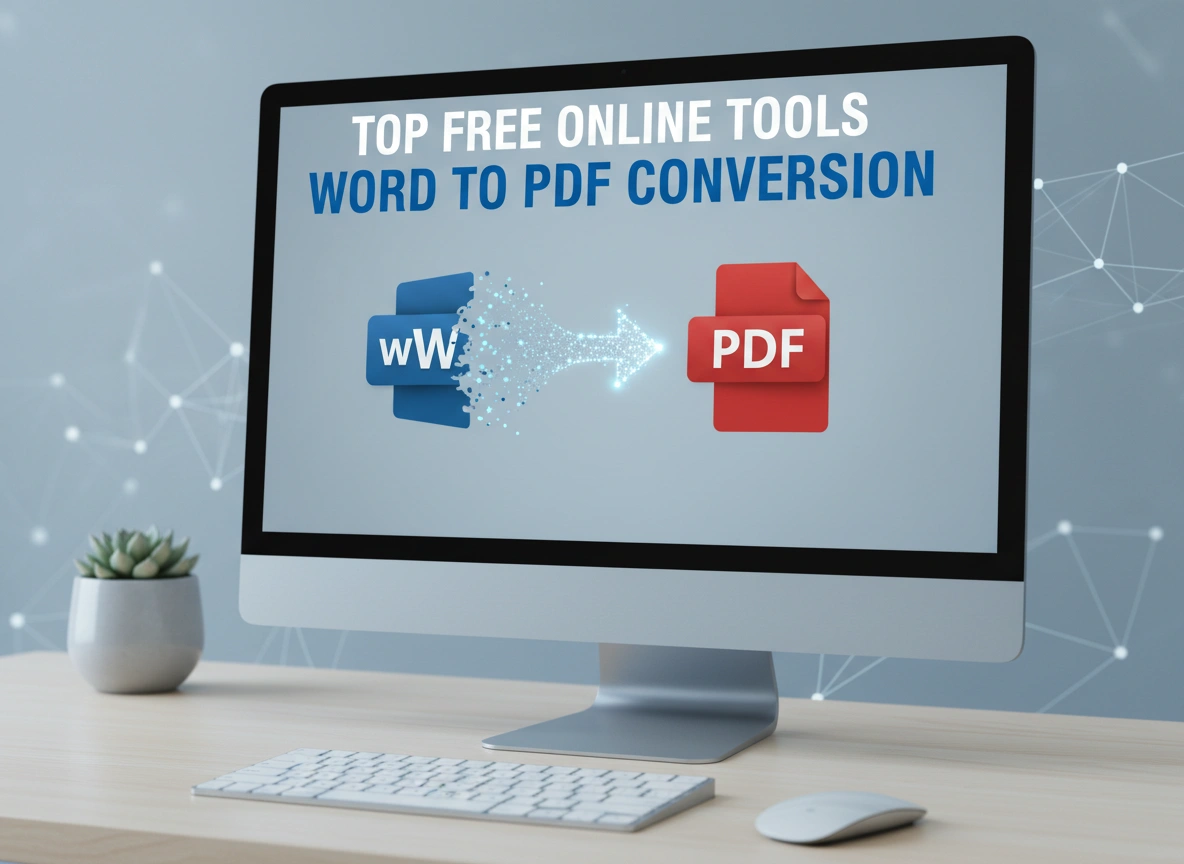
In professional and academic settings, the format of a document can be just as important as its content. While Microsoft Word is excellent for creating and editing text, the PDF (Portable Document Format) is the gold standard for sharing and archiving files. A PDF preserves the formatting, fonts, and images of your original document, ensuring it looks the same on any device or operating system. This reliability makes PDF conversion a crucial step for everything from submitting a resume to sharing a final report.
Thankfully, you no longer need expensive software to make this conversion. A wealth of free online tools can transform your Word documents into high-quality PDFs in seconds. This article will guide you through the best free online converters available today. We will explore their features, ease of use, and any potential limitations to help you find the perfect tool for your needs.
Why Convert Word to PDF?
Before diving into the tools, it’s worth understanding the key advantages of using the PDF format. These benefits highlight why converting your documents is a best practice for professional communication.
Universal Compatibility
A PDF file will look identical regardless of the viewer’s device, operating system, or screen size. This consistency eliminates the frustrating experience of a carefully formatted Word document appearing jumbled or distorted on another computer due to differences in software versions or font availability.
Enhanced Security
PDFs offer robust security features that are not native to Word documents. You can encrypt files with passwords, restrict printing or editing, and add digital signatures to verify authenticity. This control is essential when handling sensitive or confidential information.
Preserved Formatting
From page margins and line spacing to embedded fonts and image placement, PDFs lock in your document’s layout. This ensures that your file is presented exactly as you intended, maintaining its professional appearance and readability.
Smaller File Size
While not always the case, PDF files are often smaller than their Word counterparts, especially for documents rich in images or complex formatting. This makes them easier and faster to share via email or upload to web platforms without running into file size restrictions.
Top Free Online Word to PDF Converters
Now, let’s explore the leading free online tools that make Word to PDF conversion simple and accessible. Each of these platforms offers a reliable service without requiring a software installation.
1. Smallpdf
Smallpdf has established itself as a go-to platform for all things PDF. Its clean interface and powerful processing make it a favorite among users worldwide. The Word to PDF converter is just one of its many features, and it excels in both performance and user experience.
Features
Smallpdf offers a straightforward drag-and-drop interface. You can upload files from your computer, Google Drive, or Dropbox. The conversion process is incredibly fast, and the tool does an excellent job of retaining the original document’s formatting. After conversion, you have options to compress the PDF, merge it with other files, or even edit it further using their suite of tools.
Ease of Use
The platform is designed for simplicity. The conversion process involves three simple steps: upload your Word file, wait a few seconds for the conversion to complete, and then download your new PDF. There are no complex settings to navigate, making it ideal for users who need a quick and efficient solution. The visual cues and clean layout guide you through the process effortlessly.
Limitations
The primary limitation of Smallpdf’s free version is its usage cap. Free users are typically limited to two document tasks per day. While this is sufficient for occasional use, it may not be enough for users who need to convert multiple documents regularly. To unlock unlimited access, a subscription to Smallpdf Pro is required.
2. Adobe Acrobat Online Tools
Coming directly from the creators of the PDF format, Adobe’s free online tools provide a high level of trust and reliability. The Word to PDF converter is a core part of this online suite, delivering the quality you would expect from the industry leader.
Features
Adobe’s online converter is known for its high-fidelity conversions. It ensures that fonts, images, and alignment from your Word document are perfectly preserved in the final PDF. The tool supports both .doc and .docx formats. Like other services, it allows you to upload files directly or connect to cloud storage services. Once converted, you can sign in to your free Adobe account to store the file online or share a link.
Ease of Use
The user interface is minimal and intuitive. You can drag and drop your file or use the “Select a file” button to begin. The conversion is quick, and the resulting PDF is available for download almost instantly. The process is entirely browser-based, with no software to install or complicated steps to follow.
Limitations
While the core Word to PDF conversion is free and generally unlimited, accessing more advanced features like editing the PDF, combining files, or adding password protection often requires a subscription to Adobe Acrobat Pro DC. Free users may also encounter daily limits for certain related PDF tasks.
3. iLovePDF
iLovePDF is another comprehensive online PDF suite that rivals Smallpdf in its breadth of features and user-friendly design. Its Word to PDF converter is a popular tool known for its speed and reliability.
Features
iLovePDF supports batch processing, allowing you to upload and convert multiple Word documents to PDF at once. This is a significant advantage for users who need to process several files in a single session. It also integrates with Google Drive and Dropbox for easy file access. The service places a strong emphasis on security, automatically deleting all uploaded and processed files from its servers within two hours.
Ease of Use
The platform’s design is clean and inviting. You simply select your Word files, and the tool handles the rest. The batch processing feature is particularly easy to use—just select all the files you need to convert, and the system processes them in a queue. The download can be initiated for each file individually or as a single ZIP archive.
Limitations
The free version of iLovePDF has some limitations on file size and the number of files you can process at once in a single task. For example, you might be limited to converting 15 files per task. Heavy users or those working with very large documents might need to consider the premium version for unrestricted access.
4. Soda PDF Online
Soda PDF offers both online tools and a desktop application, but its free online Word to PDF converter is a powerful option on its own. It provides high-quality conversions without requiring any registration or sign-up for basic use.
Features
Soda PDF’s online tool works on any device with a web browser, including smartphones and tablets. It processes .doc and .docx files quickly while maintaining the source file’s layout. A standout feature is its security promise: files are deleted from their servers after 24 hours to protect user privacy. In addition to downloading the file, you can also have a link to the PDF sent to your email.
Ease of Use
The process is as simple as it gets: upload your file, wait for the conversion, and download the PDF. The web interface is clean and free of clutter, focusing solely on the conversion task at hand. This minimalist approach makes it extremely accessible for non-technical users.
Limitations
Similar to other services, Soda PDF imposes a daily or hourly limit on the number of tasks a free user can perform. Accessing advanced features like PDF editing, e-signing, or batch processing requires upgrading to a paid plan. The free service is best suited for light, infrequent conversion needs.
Conclusion: Empower Your Workflow with Free Tools
Converting Word documents to PDF is an essential task for ensuring your work is presented professionally and securely. The online tools available today have made this process more accessible than ever. Platforms like Smallpdf, Adobe’s online tools, iLovePDF, and Soda PDF Online all offer fast, reliable, and high-quality conversions at no cost.
While each service has limitations in its free version—usually in the form of usage caps or restricted access to advanced features—they are more than sufficient for the average user’s needs. By choosing the right tool, you can streamline your workflow, protect your document’s integrity, and share your files with confidence, all without spending a dime.











Leave a Reply