 Skip to content

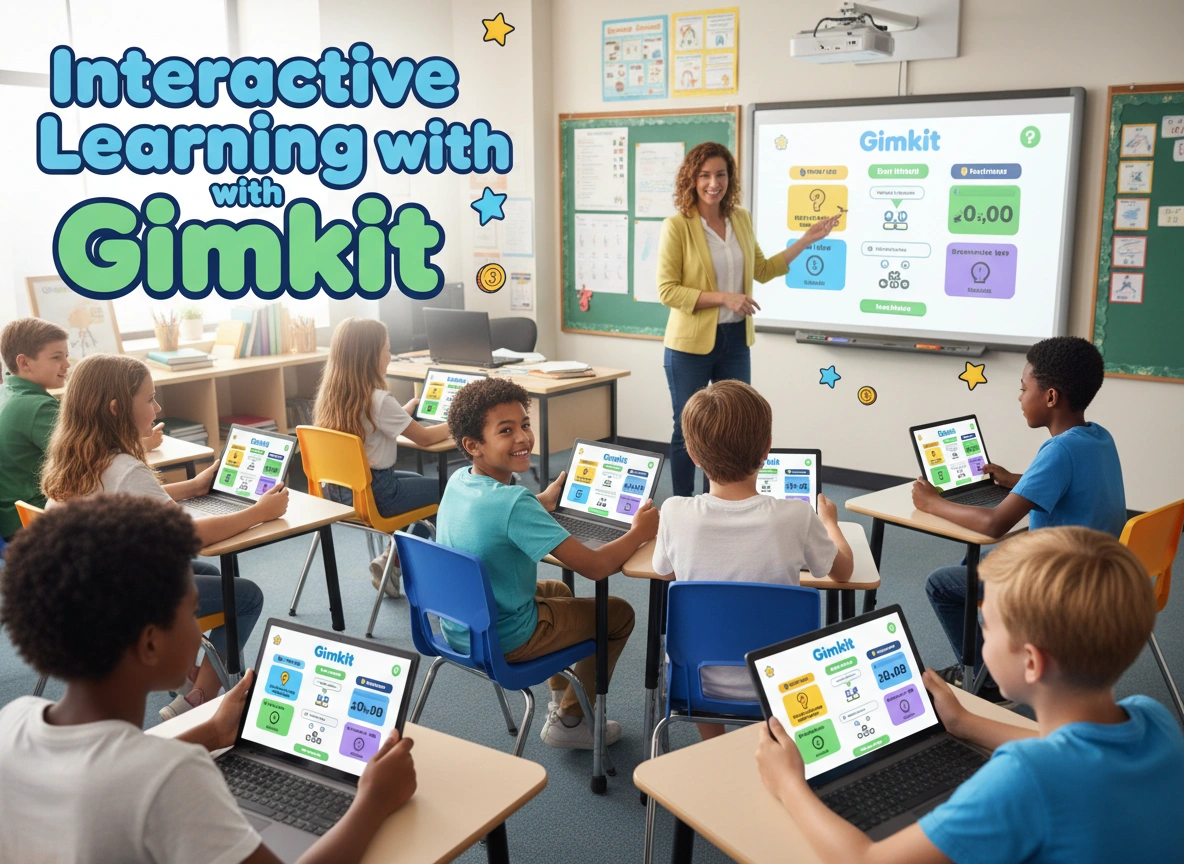
When students walk into a classroom, they often expect lectures, worksheets, and quiet study. But what if they walked in expecting a high-stakes game show where their knowledge is the currency? This is the transformative power of gamification. It shifts the dynamic from passive absorption to active participation. Among the tools leading this charge is Gimkit, a platform designed by a high school student who understood exactly what makes learning stick.
This article explores how educators can leverage Gimkit to turn standard lessons into engaging experiences. We will cover exactly what Gimkit is, provide a step-by-step guide on setting it up, and discuss strategies to maximize its impact in your classroom.
What Is Gimkit?
Gimkit is a game-show-style learning platform that allows students to answer questions on their own devices at their own pace. Unlike other quiz tools where speed is the only variable, Gimkit introduces strategy. Students earn in-game “money” for correct answers, which they can reinvest to purchase power-ups and upgrades. These upgrades might increase the points they earn per question or protect them from other players’ strategies.
The platform was created by Josh Feinsilber as a high school project. Because it was built by a student, it taps directly into the mechanics that keep young minds engaged: risk, reward, and autonomy. It isn’t just about knowing the answer; it is about how you use that knowledge to advance in the game.
The Educational Purpose
The primary goal of Gimkit is to increase student engagement through repetition without monotony. Because students need to accumulate money to buy upgrades, they answer far more questions in a single Gimkit session than they would on a traditional worksheet. This creates a loop of retrieval practice—a proven method for strengthening memory and retention.
Getting Started: Setting Up Gimkit in Your Classroom
Implementing a new tech tool can sometimes feel daunting, but Gimkit is designed for simplicity. Here is how you can get your first game running in minutes.
Step 1: Create an Account and a Kit
First, navigate to the Gimkit website and sign up for an educator account. Once logged in, your dashboard serves as your command center.
- Click “New Kit” to start creating your quiz.
- Name your Kit based on the subject matter (e.g., “Civil War Key Battles” or “Quadratic Equations”).
- Add Questions: You have several options here. You can write questions from scratch, import them from a spreadsheet, or even pull sets from Quizlet or other Gimkit users.
Step 2: Choose Your Game Mode
This is where Gimkit shines. You aren’t limited to a standard quiz format.
- Classic Mode: Students compete individually to earn the most money.
- Team Mode: Students work together in groups, pooling their resources.
- Trust No One: A social deduction game inspired by Among Us, where students must identify the “impostors” while answering questions.
- Floor is Lava: A cooperative mode where the class must keep building a structure to stay above the rising lava.
Step 3: Launch and Join
Once you select a mode, you will configure the game settings—such as time limits or starting cash. Click “Continue” to generate a game code. Display this code on your projector. Students go to gimkit.com/join, enter the code, and choose a nickname. As the teacher, you have full control to remove inappropriate names before starting the game.
Features That Drive Interaction
Gimkit offers several unique features that distinguish it from standard quizzing apps. Understanding these will help you tailor the experience to your specific learning goals.
The Shop and Upgrades
The “Shop” is the heart of Gimkit’s strategy. Students must decide whether to save their earnings or spend them.
- Streak Bonus: Increases earnings for consecutive correct answers.
- Multiplier: Multiplies the cash earned per question.
- Insurance: Penalties for wrong answers are reduced.
This introduces financial literacy concepts and critical thinking. A student who answers slowly but strategically invests in upgrades can often beat a student who answers quickly but fails to optimize their earnings.
KitCollab
One of the most powerful features is KitCollab. Instead of the teacher writing all the questions, the students write them.
- The teacher launches a KitCollab.
- Students submit a question and the correct answer.
- The teacher accepts or rejects questions in real-time.
- The class plays a game using the questions they just created.
This turns the creation process into a learning activity, forcing students to think deeply about the material to formulate good questions.
Assignments for Asynchronous Learning
Gimkit isn’t restricted to live classroom play. You can assign a Kit as homework. Students play at their own pace until they reach a target cash amount. This is an excellent alternative to rote worksheets, offering immediate feedback and a sense of progression even when playing alone.
Benefits for Students and Teachers
Integrating Gimkit offers tangible benefits that go beyond just having “fun.”
Increased Engagement and Motivation
The gamified elements trigger dopamine responses similar to video games. Students who are typically passive during reviews often become the most vocal participants. The competitive (or cooperative) element provides a short-term goal that makes the learning process exciting.
Data-Driven Insights for Teachers
While students play, Gimkit collects data. After a session, teachers receive a detailed report.
- Student Performance: See exactly how each student performed.
- Question Breakdown: Identify which questions were missed most frequently.
- Class Trends: Gauge the overall understanding of the topic.
This allows for immediate intervention. If 80% of the class missed a specific question, you know to reteach that concept immediately, rather than waiting until after a test to discover the gap in understanding.
Safe Failure
In a traditional quiz, a wrong answer is a red mark. In Gimkit, a wrong answer is just a temporary setback. Students can immediately try again. The penalty (losing in-game money) is low-stakes enough to not be discouraging, but significant enough to encourage accuracy. This environment fosters a growth mindset where failure is seen as part of the learning process.
Tips for Maximizing Effectiveness
To ensure Gimkit remains a powerful learning tool rather than just a distraction, consider these best practices.
1. Balance Fun with Accountability
It is easy for students to get caught up in the “power-ups” and forget the content. Remind students that they cannot buy upgrades without answering questions correctly. Use the post-game reports to grade for participation or accuracy, ensuring they take the questions seriously.
2. Rotate Game Modes
Variety keeps the platform fresh. If you play Classic Mode every Friday, it becomes routine. Surprise students with “The Floor is Lava” for a cooperative challenge one week, and “Tag” mode the next. Different modes appeal to different types of learners—some thrive on competition, while others excel in cooperation.
3. Use It for Formative Assessment
Don’t reserve Gimkit only for test reviews. Use it as a bell-ringer activity to check understanding from the previous day’s lesson, or as an exit ticket to gauge what they learned today. A short, 5-minute session can provide you with all the data you need to plan your next lesson.
4. Encourage Strategy Discussions
After a game, take five minutes to debrief. Ask the winners what their strategy was. Did they buy insurance first? Did they save up for a high multiplier? Discussing these strategies helps students develop metacognitive skills, analyzing how they approach problems and manage resources.
5. Customize the Pace
You can adjust the settings to slow the game down. If you find students are guessing wildly just to get through questions, enable the feature that prevents them from answering for a few seconds after a wrong answer. This forces them to slow down and consider their choices.
Conclusion
Gimkit is more than a digital quiz; it is a vehicle for active learning. By merging educational content with the engaging mechanics of modern gaming, it meets students where they are. It transforms the classroom from a place of passive listening into an arena of strategy, collaboration, and excitement.
For educators, the platform offers a seamless way to assess understanding while building a positive classroom culture. Whether you are teaching complex mathematics or vocabulary, Gimkit provides the flexibility to make that content accessible and enjoyable. Start with a simple “Classic” mode game, explore the data it provides, and watch as your students ask the question every teacher loves to hear: “Can we play that again?”
Please visit website for more info.










Leave a Reply